Development · Chrome Extension
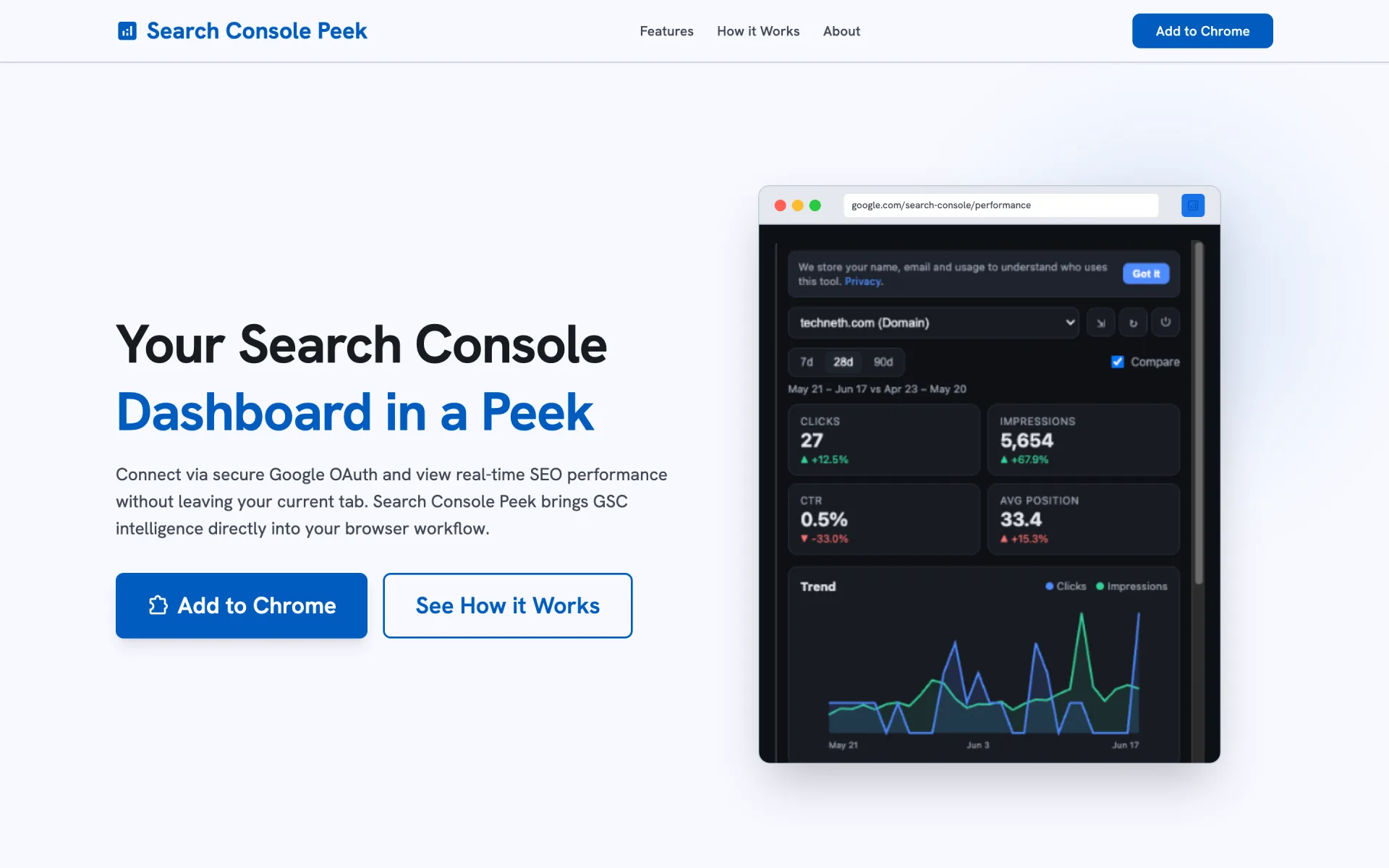
Search Console Peek
Search Console Peek is a free Chrome extension that shows your Google Search Console performance (clicks, impressions, CTR, average position, top queries and pages, a trend chart, and period-over-period comparisons) in a toolbar popup or Chrome's side panel, so you never have to open Search Console to check how a site is doing. I built it at Algoramming with Md Sabik Alam Rahat and Afif Alamgir Lizel, and wrote the extension, its Supabase backend, the admin console, and the landing site.
- Role
- Co-creator & lead developer
- Client
- Algoramming
- Timeline
- Jun – Jul 2026
- Year
- 2026
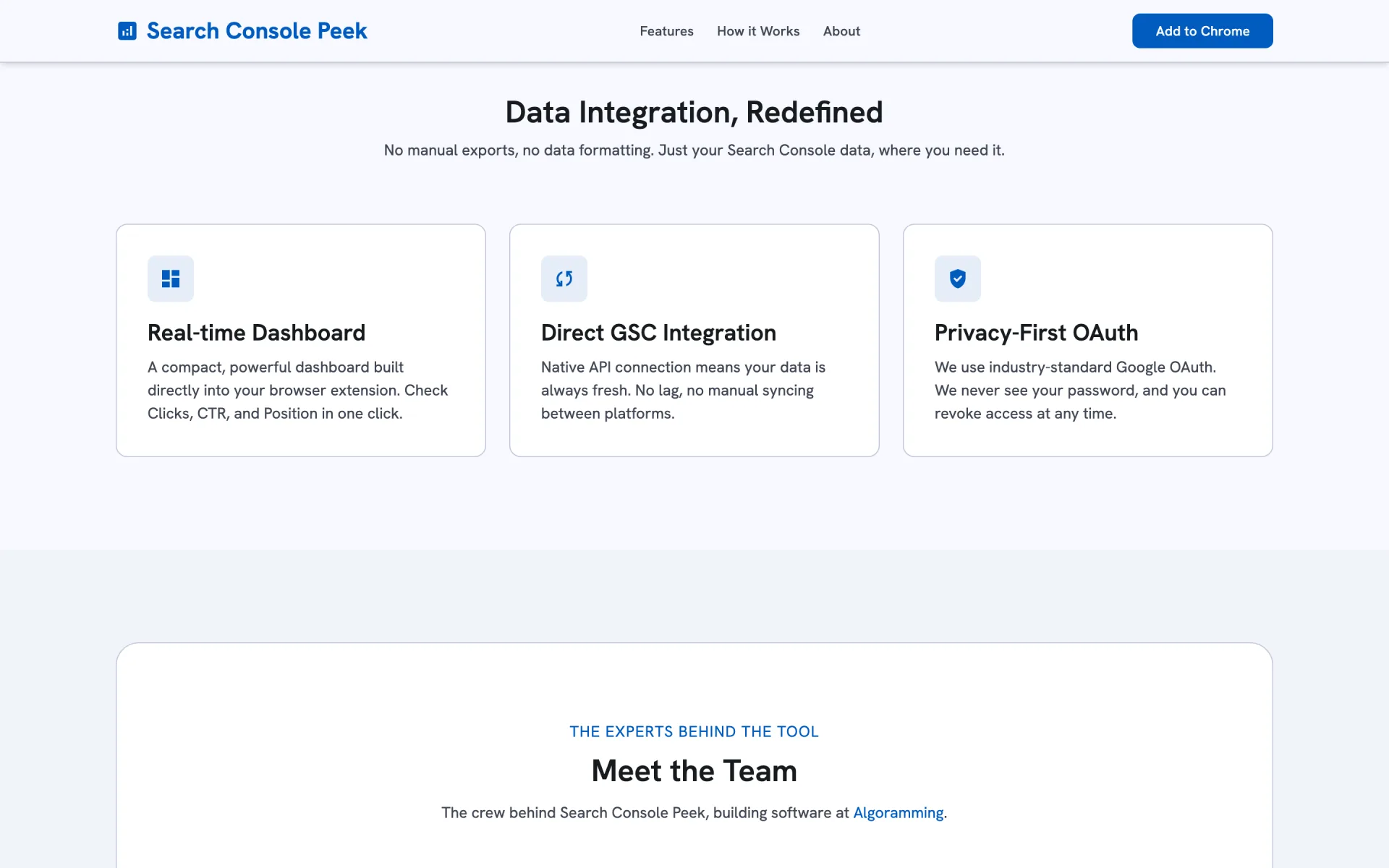
Manifest V3 extension: toolbar popup and dockable side panel
Read-only Google OAuth, no external libraries or CDNs
Multi-app Supabase backend with an admin console
Overview
Anyone who runs websites checks Search Console constantly, and every check means a new tab, a property picker, and a few clicks to get to the performance report. Search Console Peek puts that report one click away in the browser toolbar, or docked in Chrome's side panel next to the page you're working on.
The challenge
Chrome Web Store review is strict about remote code and permissions, and Google's OAuth review is strict about scopes. The extension had to ask for as little as possible (read-only Search Console access, plus profile and email), load nothing from a CDN, and still feel like a polished dashboard. The data also lags by a few days, so naive date ranges would show half-empty periods and misleading comparisons.
What I built
A Manifest V3 extension in plain JavaScript: a dashboard shared by the popup and the side panel, a small Search Console API client, and a hand-written SVG chart instead of a charting library. Date ranges end at the latest day Google has finalised, and every metric is compared against the previous equal-length period. Sign-in uses chrome.identity with a pinned extension ID, so the OAuth client stays valid across machines and releases.
Behind it is a Supabase backend designed for more than one product: an apps table where each extension has its own ingest key, users and events scoped per app, row-level security on everything, and public RPC access revoked. Two Deno edge functions handle usage ingest and a password-protected admin API (SHA-256 hashed credentials), which power an admin console and the public landing page, privacy policy, and terms needed for store and OAuth review.
Outcome
Search Console Peek is live at extensions.algoramming.com, free to install, and the backend is ready for Algoramming's next extensions. Adding a new product is a single new row in the apps table.
Key features
Clicks, impressions, CTR, and average position with % change against the previous period
7, 28, and 90-day ranges, with Search Console's ~3-day data lag accounted for
Top queries and pages tables with per-row deltas
Auto-selects the Search Console property matching the tab you're on
Dependency-free SVG trend chart, so the extension stays CSP-clean for Web Store review
Sign-in through chrome.identity with the read-only webmasters scope; data never leaves Google
Supabase backend (row-level security, ingest and admin edge functions) built to serve several extensions
Built with
Gallery
Have a project like this?
I take products from first sketch to shipped, design, build, and the AI in between. Tell me what you’re working on.